
Equip360 Release 2021.4

Add Image to Search “Add to Cart”
Search Modal
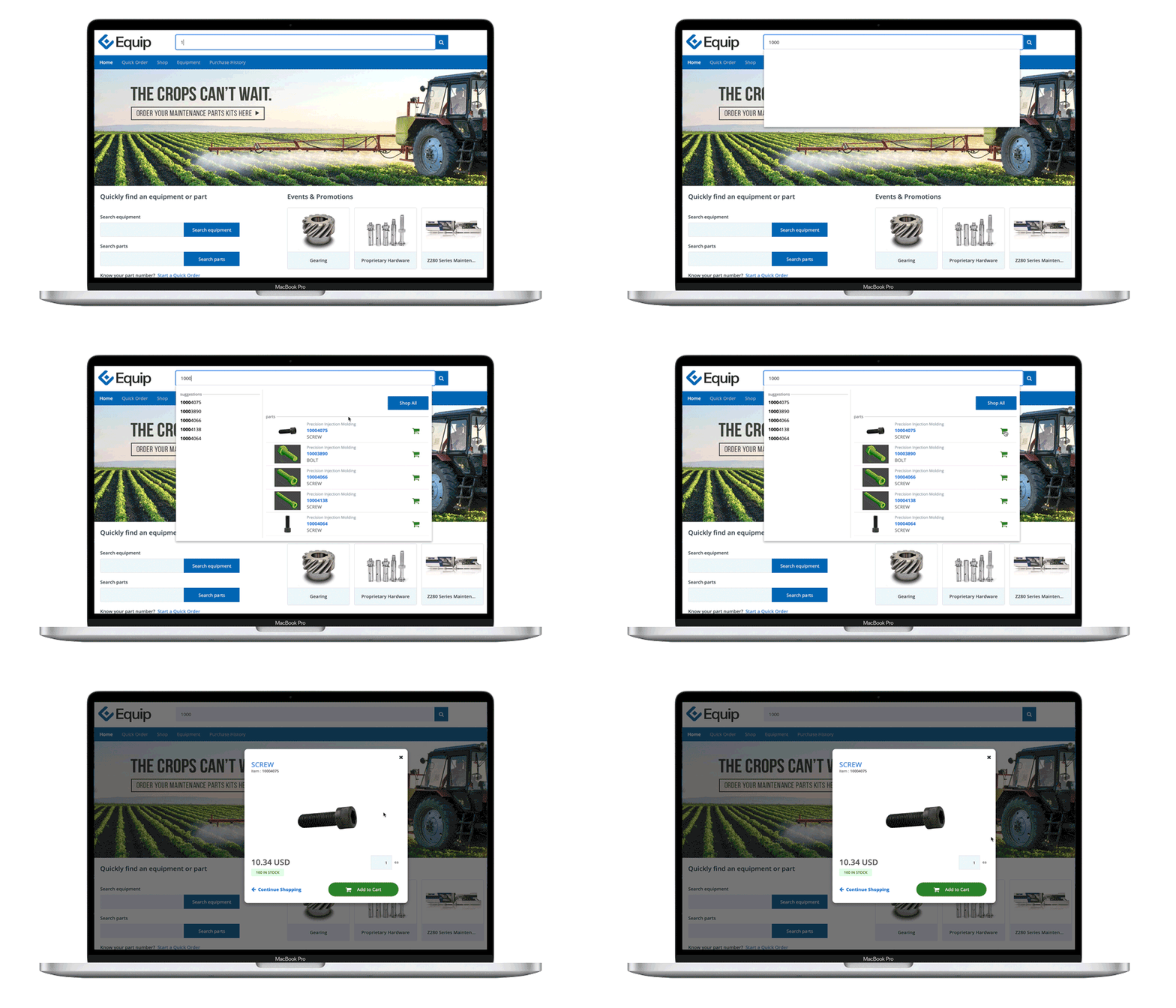
Provide Visual Confirmation of Product Before Adding to Cart
Over 50% of the site’s shoppers are using Global search to add product to their cart. Displaying the product image within the add to cart modal now provides the ability for the shoppers to visually confirm their selection before adding it to the cart. The benefit is two fold. Fewer shoppers will navigate away from the purchase and conversion rates will increase.
How it Works
Only the default image is visible in modal. Shopper can still access item detail to view the other visual presentation of the product.
Ability for Users to Save Ship-to Address Outside of ERP
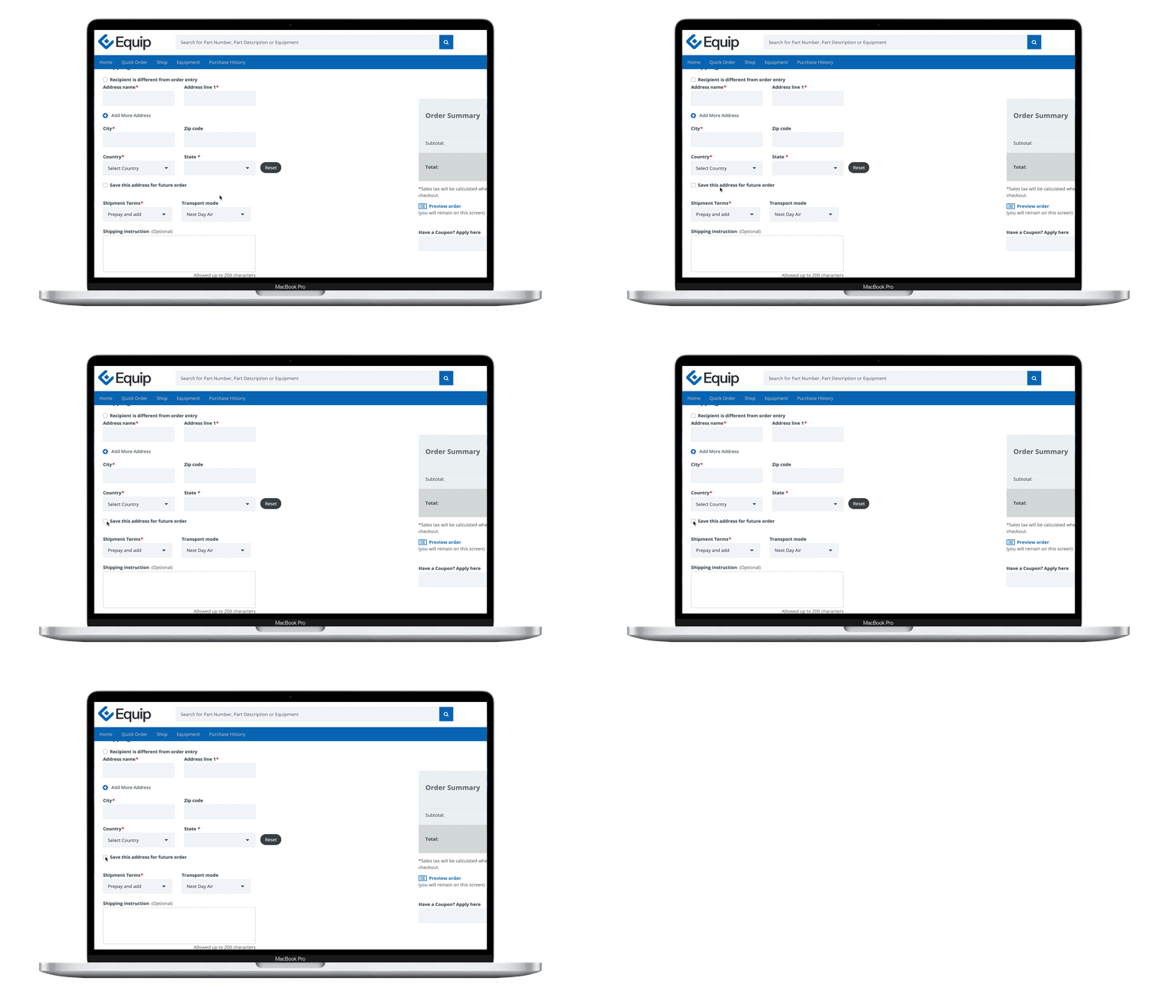
Flexible Ship-to Address Management
How it Works
When the implementation allows ship-to overwrite in ERP and the configuration to save ship-to is turned on, our customer can:
-
Choose to keep current functionality where an email is sent to business for manual entry of ship-to in ERP
-
Choose to enable new functionality where the the ship-to address is stored in our database
-
Allow shopper to use this address immediately without waiting for the nightly batch
-
Remove the need for manual updates in ERP by business
-
Address will not be updated from the Customer batch job
Coming Up - New Major Modules
New Major Module Already Underway
In this release, we began the development to bring significant new functionality into Equip360 with a planned release in Q4.
-
Return & Surplus Returns: Manage Standard Return requests and approvals solely in Equip360 or partner with us to integrate it to your ERP.
-
Warranty: Manage Warranty Registrations and Return requests and approval solely in Equip360 or partner with us to integrate it to your ERP.
-
Configured Products: Manage Products with user-driven Configured Choices solely in Equip360 for quote requests or partner with us to integrate Quote and Order to your ERP.
Architecture
Introducing Multi-Tenant Architecture to Equip360
Multi-tenant architecture, commonly referred to as multi-tenancy, is a software architecture in which multiple single instances of software run on a single physical server. “Tenants” is a term for a group of users or software applications that all share access to the hardware through the underlying software.
Although all users of Equip360 access the same foundational components, the data and configurations that are specific to a customer are stored in a separate and secure container. Users can access all the capabilities of the software, but their data isn’t shared.
Multi-tenancy applications provide an additional layer on which customizations may be built while still maintaining an underlying codebase utilized by all users and, of course, all new customers.

-
Adding a new implementation is easy
-
It becomes more convenient to maintain the same application
-
Maximizes the resource utilization
-
Speeds up the upgrade process by allowing them to be completed faster and more often
-
Easy customization
-
Invisible to our customers and their users
-
Instantly scalable as traffic grows